
2025/10/13小于 1 分钟
使用 material
website: https://mui.com/material-ui/getting-started/templates/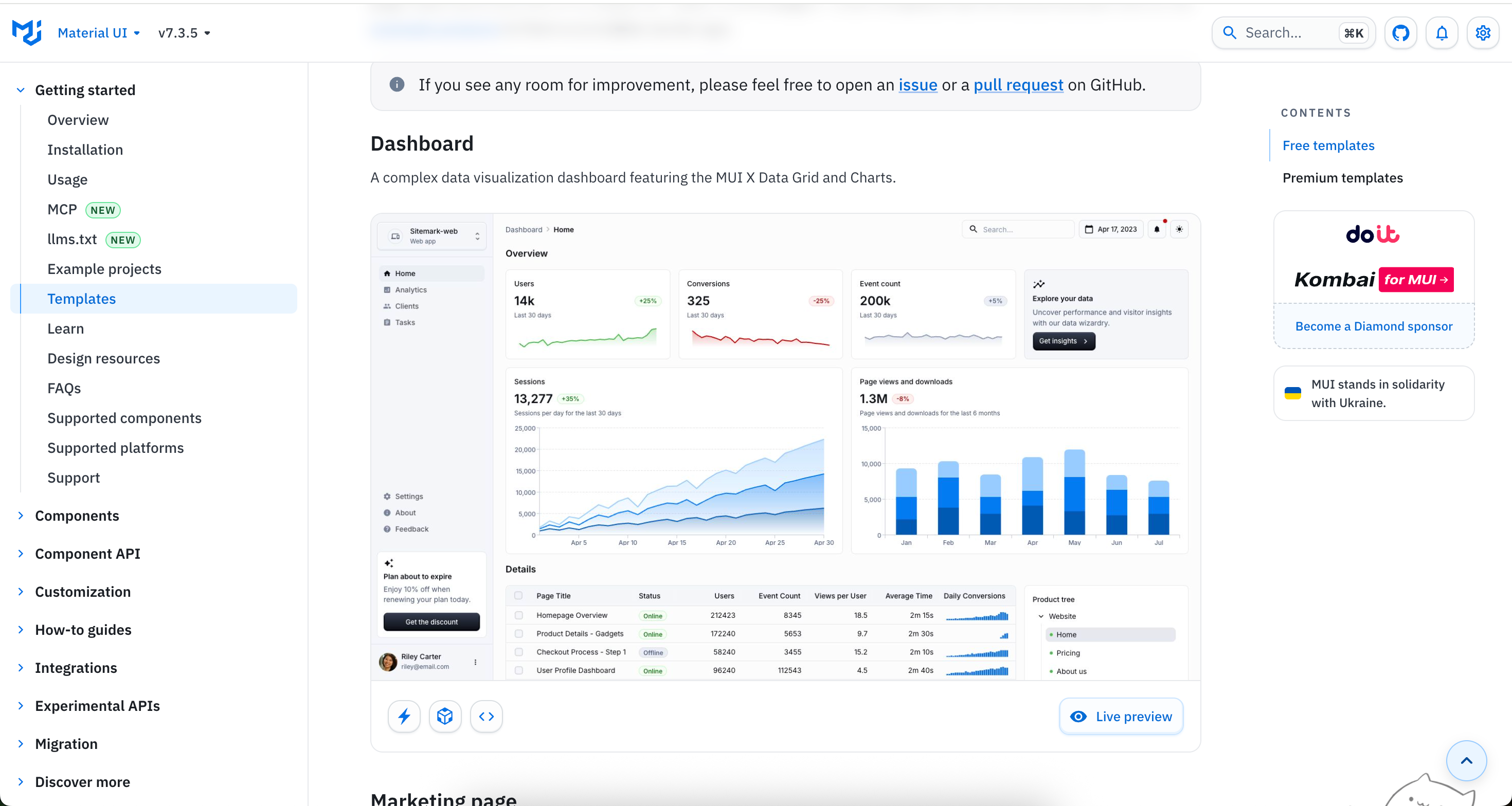
website: https://github.com/mui/material-ui/blob/v7.3.5/docs/data/material/getting-started/templates/dashboard/README.mdDashboard template
Usage
- Copy these folders (
dashboardandshared-theme) into your project, or one of the example projects. - Make sure your project has the required dependencies: @mui/material, @mui/icons-material, @emotion/styled, @emotion/react, @mui/x-charts, @mui/x-date-pickers, @mui/x-data-grid, @mui/x-tree-view, dayjs
- Import and use the
Dashboardcomponent.
Demo
View the demo at https://mui.com/material-ui/getting-started/templates/dashboard/.
新建项目
npm create vite@latest notebook -- --template react-ts添加material UI
npm install @mui/material @emotion/react @emotion/styled


npm install @mui/icons-material


npm install @mui/x-charts @mui/x-date-pickers @mui/x-data-grid @mui/x-tree-view dayjs
克隆项目
git clone https://github.com/mui/material-ui.git复制文件到自己项目中
docs/data/material/getting-started/templates/dashboard

两个文件夹 dashboard  shard-theme 复制到 src/ 下面
✘ [ERROR] The JSX syntax extension is not currently enabled
[plugin:vite:import-analysis] Failed to parse source for import analysis because the content contains invalid JS syntax. If you are using JSX, make sure to name the file with the .jsx or .tsx extension.